
Add Testimonials to WordPress (Without Another Plugin)
Last updated
You don't need another WordPress testimonial plugin. Prooflet collects text and video testimonials for you, then you paste a short embed code into a Custom HTML block. It works with any theme or page builder, there is nothing to update, and the free plan includes video.
Why skip the plugin?
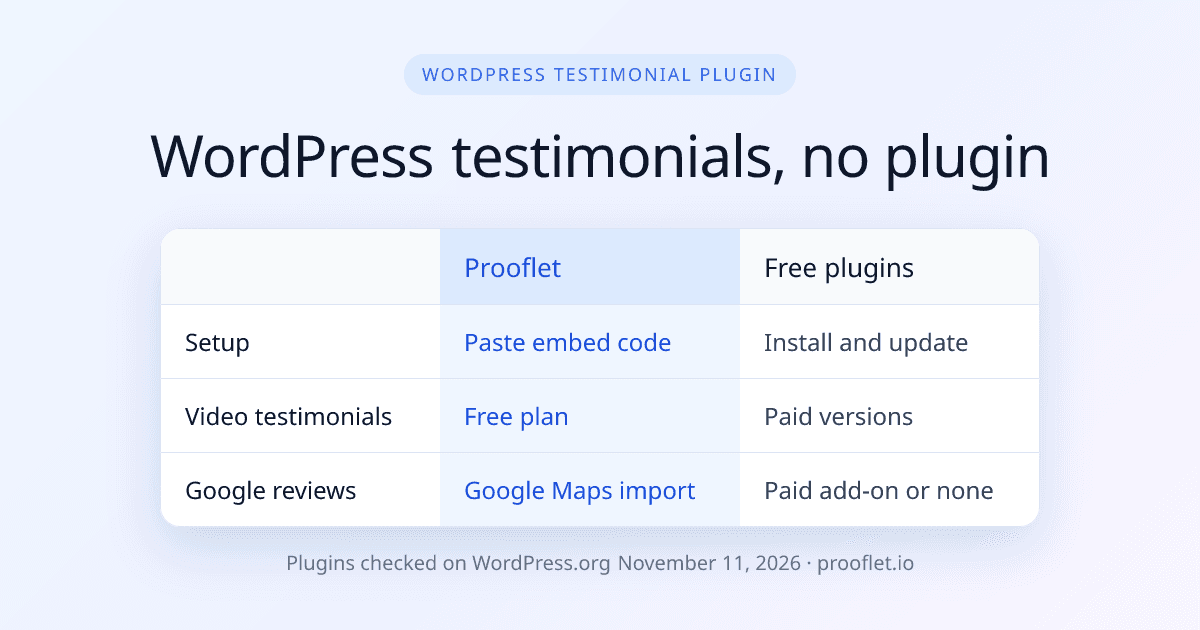
Most WordPress testimonial plugins store testimonials in your WordPress database and render them with PHP on your server. That works. But each plugin is one more thing to update, one more thing that can clash with your theme, and the free versions usually leave out video.
Prooflet works the other way. Customers send testimonials to Prooflet, you approve them there, and a small script shows them on your page. Your WordPress site only holds the embed code.
- Nothing to update. There is no plugin, so there are no plugin updates and no new database tables.
- Any theme, any builder. If your editor accepts HTML, the widget works. That covers the Block Editor, Elementor and most page builders.
- Video on the free plan. Customers record on their phone or webcam with guided prompts. They do not need an account.
- Not tied to WordPress. Move to another platform later and the same widget keeps working.
How to add testimonials to WordPress in 4 steps
You need a WordPress administrator account, because WordPress only lets some user roles save script tags. If you are on WordPress.com, check that your plan allows custom HTML with scripts.
- Step 1: Collect testimonials. Create a free Prooflet account, set up a form and share its link by email or chat. Customers write a few lines or record a video.
- Step 2: Build a widget. Approve the testimonials you want to show. Pick a layout: Wall of Love, Carousel, Grid, Masonry, Marquee or Toast.
- Step 3: Copy the embed code. It is a short snippet: one div plus one script tag.
- Step 4: Paste it into WordPress. In the Block Editor, add a Custom HTML block where the testimonials should appear, paste the code and update the page. In Elementor, drag the HTML widget into your section, paste the code and click Update.
That is all. New testimonials you approve appear on the page without touching WordPress again. For more ideas on where to place them, read how to display testimonials on your website.
Popular free WordPress testimonial plugins
If you would rather use a plugin, these three are among the most installed on WordPress.org. All three have a free version and a paid one.
| Plugin | Developer | Active installs | Rating | Free version |
|---|---|---|---|---|
| Strong Testimonials | WP Chill | 80,000+ | 4.8 of 5 (614 ratings) | One submission form. Video and review importer are paid. |
| Real Testimonials | ShapedPlugin | 40,000+ | 4.7 of 5 (226 ratings) | Submission form and CSV import. Video is Pro. |
| Testimonial Slider and Showcase | RadiusTheme | 20,000+ | 4.6 of 5 (67 ratings) | Slider and showcase layouts. Submission form and video are Pro. |
Checked on at wordpress.org.
WordPress testimonial plugin vs Prooflet embed
Both approaches put testimonials on your pages. The difference is where the work happens.
| Free plugins above | Prooflet embed | |
|---|---|---|
| Where testimonials live | Your WordPress database | Prooflet, shown on your page by a script |
| Updates | Plugin updates in WordPress | Nothing to update |
| Collect video | Paid versions only | Every plan, including Free |
| Import Google reviews | Not in the free versions; Strong Testimonials sells an importer | Google Maps and 30+ other sources, capped per plan |
| Layouts | Varies by plugin | Wall of Love, Carousel, Grid, Masonry, Marquee and Toast |
| Works outside WordPress | No | Yes, on any site that accepts HTML |
| Price | Free, with paid upgrades | Free, then $59, $99 or $249 once |
Checked on at wordpress.org.
How Prooflet handles testimonials
Prooflet does one job: collect testimonials and show them. You share a link, customers respond, and you approve, tag and filter what comes in. Our video testimonial software page shows the recording flow.
To show them, pick a layout. A wall of love suits a dedicated testimonials page. A carousel or marquee fits on a home page or a sales page. A toast pops up in the corner.
You can also import reviews you already have from 30+ sources, such as Google Maps, G2, Capterra and Product Hunt. Imports are capped per plan: 20, 40, 80 or 200.
Prooflet pricing: pay once
Prooflet plans are one-time payments with lifetime access. Limits are per project. Every plan includes the WordPress embed.
| Plan | Price | What you get |
|---|---|---|
| Free | $0 forever | 1 project, 1 form, 20 testimonials per project, 1 member |
| Starter | $59 one-time | 1 project, 3 forms, 50 testimonials per project, 1 member |
| Pro | $99 one-time | 3 projects, 10 forms, 500 testimonials per project, 3 members, remove branding |
| Agency | $249 one-time | 15 projects, unlimited forms and testimonials, 10 members |
When a WordPress plugin is the better choice
A plugin may suit you better if:
- You want every testimonial stored in your own WordPress database.
- You only need text testimonials and a free slider is enough.
- You do not want any third-party script on your pages.
- You need to place testimonials with shortcodes or PHP templates in a custom theme.
- A plugin you already use does the job. Then there is no reason to switch.
Start Collecting Text & Video Testimonials
with Prooflet
Free forever plan, no credit card. Paid plans are one payment from $59 with lifetime access and a 7-day money-back guarantee.
Which platforms does Prooflet import testimonials from?
Prooflet imports existing reviews and testimonials from 30+ platforms, including Google Maps, G2, Capterra, Product Hunt, LinkedIn, Facebook and Instagram, and from a CSV file. Every imported testimonial can be shown in a wall of love, carousel, grid, masonry, marquee or floating toast that embeds on any site with a short HTML snippet.
- Google Maps
- G2
- Capterra
- Product Hunt
- TikTok
- YouTube
- Vimeo
- Yelp
- Fiverr
- Upwork
- Udemy
- Coursera
- Goodreads
- Airbnb
- Steam
- Apple App Store
- Google Play
- Chrome Web Store
- Shopify App Store
- + CSV and more
Widgets embed on WordPress, Webflow, Wix, Squarespace, Shopify, Framer, Notion and any site that accepts an HTML snippet.
WordPress testimonials: common questions
It depends on what you need. On WordPress.org, Strong Testimonials (80,000+ active installs), Real Testimonials (40,000+) and Testimonial Slider and Showcase (20,000+) are popular free choices, checked November 11, 2026. Their free versions do not collect video. If you want video testimonials and imported reviews, Prooflet adds them with an embed code instead of a plugin.
Collect testimonials in Prooflet, build a widget and copy its embed code, a div plus one script tag. In the Block Editor, add a Custom HTML block and paste the code. In Elementor, use the HTML widget. Save the page and the testimonials appear.
Yes. Prooflet imports reviews from Google Maps, along with 30+ other sources such as G2, Capterra and Product Hunt. Imported reviews show in the same widget as your own testimonials. Imports are capped per plan: 20 on Free, 40 on Starter, 80 on Pro and 200 on Agency.
The widget adds one small script, which browsers can cache. It runs in the visitor's browser, so nothing runs on your WordPress server and there are no plugin queries. Images load lazily, uploaded videos load only their metadata until played, and YouTube or Vimeo players load lazily.
Questions about plans, refunds, video, widget speed or branding? See the pricing FAQ.
More testimonial software comparisons
Every comparison on this site lists the vendor's own published prices with the date they were checked.
Add testimonials to WordPress today.
Try the demo. Buy when you're ready. 7-day money-back guarantee.